A buyer says your Michigan home disappeared from their saved search. You can still open the listing on your phone, and your flat fee MLS broker says it’s active. All three observations can be true. Before asking the broker to republish the listing or changing your price, find out exactly which part of the search failed.
Use three checks in order: the MLS record, the public property page, and the search that led to it. This guide shows what each check can tell you, using one Michigan home from launch through its first price change.
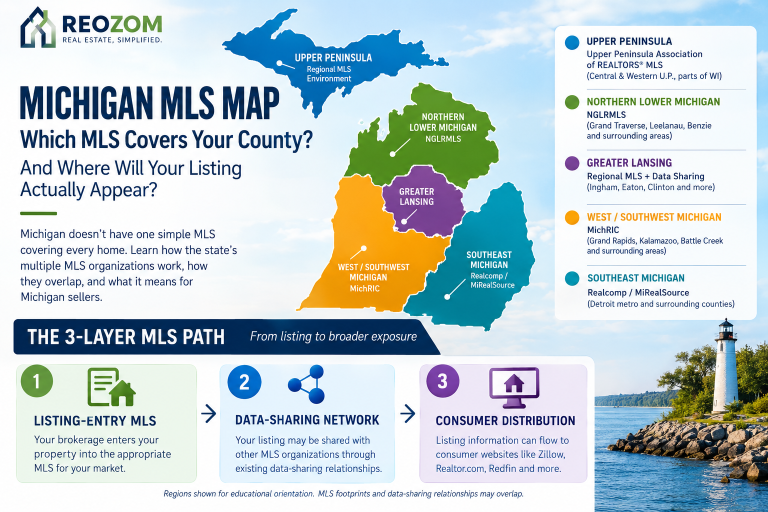
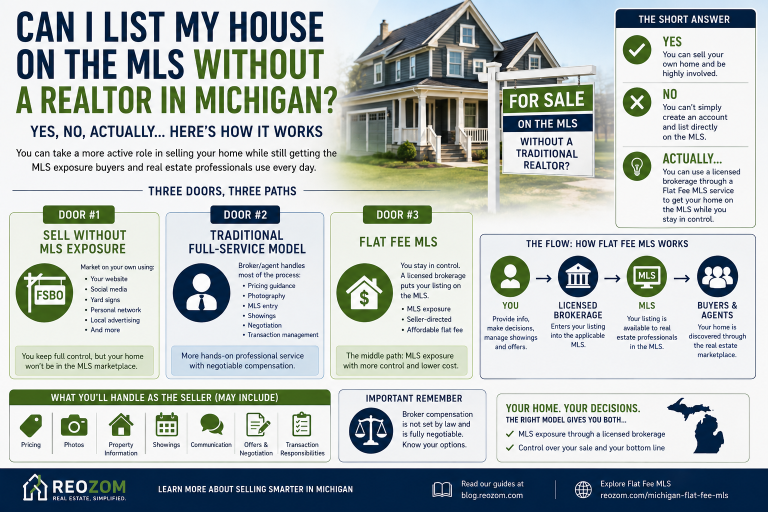
A Michigan flat fee MLS broker can tell you which MLS will carry your listing. Ask about your exact address and property type. The local MLS is the starting record, while broker search sites and public portals may receive and display listings through different arrangements. Brokerage websites may use Internet Data Exchange (IDX). Public portals may receive data from an MLS, a broker, or another feed partner. Zillow describes these different feed sources in its guidance on missing listings.
Before you pay, ask the broker to identify the MLS, the public sites they expect for your property, and who handles a missing listing or stale update. Write down the answers for the sites that matter to you, whether that’s Zillow, Realtor.com, Redfin, or a local brokerage site. For questions about which MLS serves your address, start with the Michigan MLS coverage guide.
Hypothetical example. A Grand Rapids homeowner lists at $325,000 and later reduces the asking price to $315,000. The seller records the MLS number and saves the direct property links at launch. Those links give the seller a baseline to revisit after the price change.
The broker confirms the listing is active at $315,000 and tells the seller when the change was entered. If the MLS still showed $325,000, the next step would be to resolve the price in that record. There would be little value in asking several public sites to investigate before checking the source.
One page shows $315,000. Another still shows $325,000 for the active listing. The seller records both URLs and the time checked, then asks the broker to confirm whether the change was sent to the second site and when to check again. If the older page marks the home as sold and shows a different listing number, the seller reports both URLs so the broker can identify which record is active.

A buyer says the home is missing from a saved search capped at $310,000. The seller opens the direct page, confirms it shows $315,000, and tests the same search with the cap removed. The home appears. The buyer’s search excluded it by price. The public page showing $325,000 is a separate issue and still needs a follow-up.
The same listing can have a stale portal record and a search filter problem at the same time. Record each observation separately so the broker can act on the one that needs a correction.
You can run the same audit after changing the price, replacing the lead photo, or updating the listing status. Add one row per public page and field you’re checking. Save a fresh screenshot if a discrepancy persists.
| Check | Example observation | Next action |
|---|---|---|
| MLS source record | Active at $315,000, confirmed at 10 a.m. Eastern | Keep the confirmed value and entry time as your reference. |
| Public property page | Still $325,000 at 2 p.m. Eastern | Send the direct URL and screenshot to the broker. |
| Buyer’s saved search | Home appears after removing the $310,000 cap | Explain the filter and share the current public link. |
Hello, I’m checking MLS #[listing number] at [property address]. You confirmed the active MLS record shows $315,000 as of 10 a.m. Eastern. At 2 p.m. Eastern, [direct public URL] still showed $325,000. I’ve attached a screenshot. Could you confirm whether the price update was sent to that site and tell me when to check again?
If your issue is a missing result, include the exact address you searched and any filters you used. If it’s an incorrect map pin, include the full address and unit from the MLS and a screenshot of the pin. If there are two property pages, include both links and note which one you shared with buyers.
Start with the property address and unit. Clear the price, status, property type, and map filters, then look for the full address. If you still can’t open a current property page, ask your broker to verify the active MLS number and whether that site is an expected destination. If the broker confirms the listing was sent, ask who can check receipt and when you should follow up.
Contact the broker before creating a separate listing yourself, especially if the site already shows an older version of the property. Keep an incorrect link out of your own marketing while the broker checks it.
Look for clear answers about which MLS covers your address, who enters changes, and who investigates when a public site shows something different. Ask how the broker will confirm an update went through and how you can reach them about a time-sensitive price or status error. Reozom’s Michigan flat fee broker guide explains how to compare those responsibilities across packages.
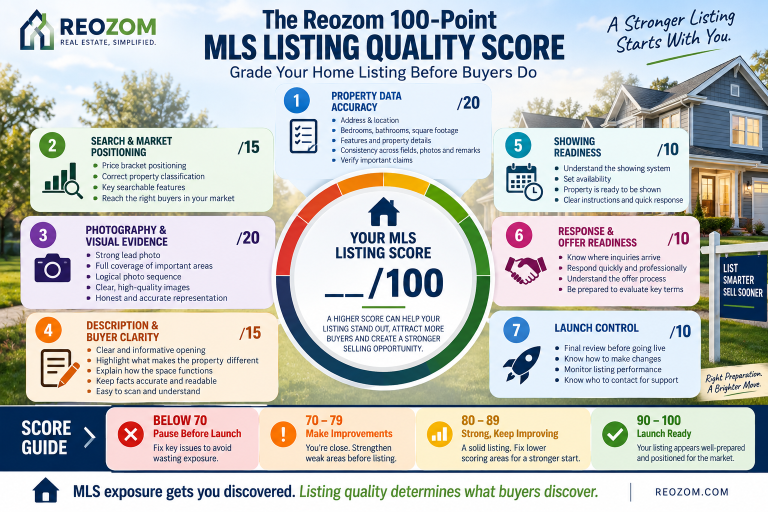
Once the live listing is accurate and easy to find, review buyer inquiries and showing requests separately. If activity is low, use the Michigan MLS listing quality checklist to review the information buyers see and the steps they take to request a showing.
Ask your broker which sites they expect to receive the listing for your address and property type. An active record in the MLS is your starting point. Verify each expected destination by opening the direct property page.
Check the saved search’s price cap, map boundary, property type and listing status filters. A property can have a live detail page and still fall outside the search criteria. Test one filter at a time to see which one changes the result.
Start with your listing broker. Send the MLS number, the direct public URL, the current MLS value and a screenshot with the time you checked. Ask when the change was entered and when to recheck the specific site.
Ask for the expected update window for the specific destination. Confirm the change in the MLS first, then revisit the same public URL at the agreed time.
Ask the broker to check distribution first. If an older page already exists, send its URL as well so the broker can distinguish the active listing from the old record.
Once buyers can find your home, use our showings and offer worksheet to see where they stop. If you are comparing listing options, review Reozom’s Michigan flat fee MLS service.